What Is the RYB Color Wheel?
The RYB Color Wheel is an interactive tool based on the traditional Red-Yellow-Blue color model — the system used by painters, illustrators, and art educators for centuries. Unlike the RGB model used by digital screens, RYB is a subtractive color model where mixing all three primaries produces a dark tone, just like mixing real paint on a canvas.
Spin the wheel to select any hue, adjust saturation and brightness with dedicated sliders, or dial in exact values using the individual R-Y-B sliders. The tool instantly shows the corresponding HEX and RGB values so you can paste them straight into CSS, Figma, or any design application — all running 100% in your browser with nothing sent to a server.
🎨 Interactive Wheel
Click or drag anywhere on the wheel to pick a hue. The selector follows your cursor for real-time feedback.
🌈 Color Harmonies
Generate complementary, triadic, analogous, split-complementary, and tetradic harmonies from any base color.
🎨 RYB Sliders
Fine-tune your color with individual Red, Yellow, and Blue sliders — each with a color-coded gradient track.
📋 One-Click Copy
Click any HEX, RGB, or RYB value to copy it to your clipboard instantly — ready for your next project.
RYB Color Wheel Complementary Colors
On the RYB color wheel, complementary colors are the two hues that sit directly opposite each other — exactly 180° apart. Because they share no common pigment, an RYB color wheel complementary pair produces the strongest possible contrast: place them side by side and each color appears more vivid; mix them together and they neutralize into a muted brown or grey. Painters since the 18th century have relied on these pairs to balance compositions, build shadow tones, and make focal points pop.
The three classic RYB color wheel complementary pairs are:
Red & Green
The boldest of the three pairs — used in everything from holiday branding to renaissance portraiture for warm/cool tension and high-energy contrast.
Blue & Orange
A favorite of cinematographers and sports brands. Cool blue against warm orange creates depth and immediately draws the eye to a focal subject.
Yellow & Purple
The most luminous pair — bright yellow next to deep violet has the widest perceived value contrast of any RYB complement, ideal for posters and signage.
To find a complement on this tool, click any color on the wheel and read the Complementary swatch in the harmonies panel — it always points to the hue exactly opposite your pick. Use the saturation and brightness sliders to soften a complementary pair into a tonal palette, or push both to full saturation for maximum visual impact.
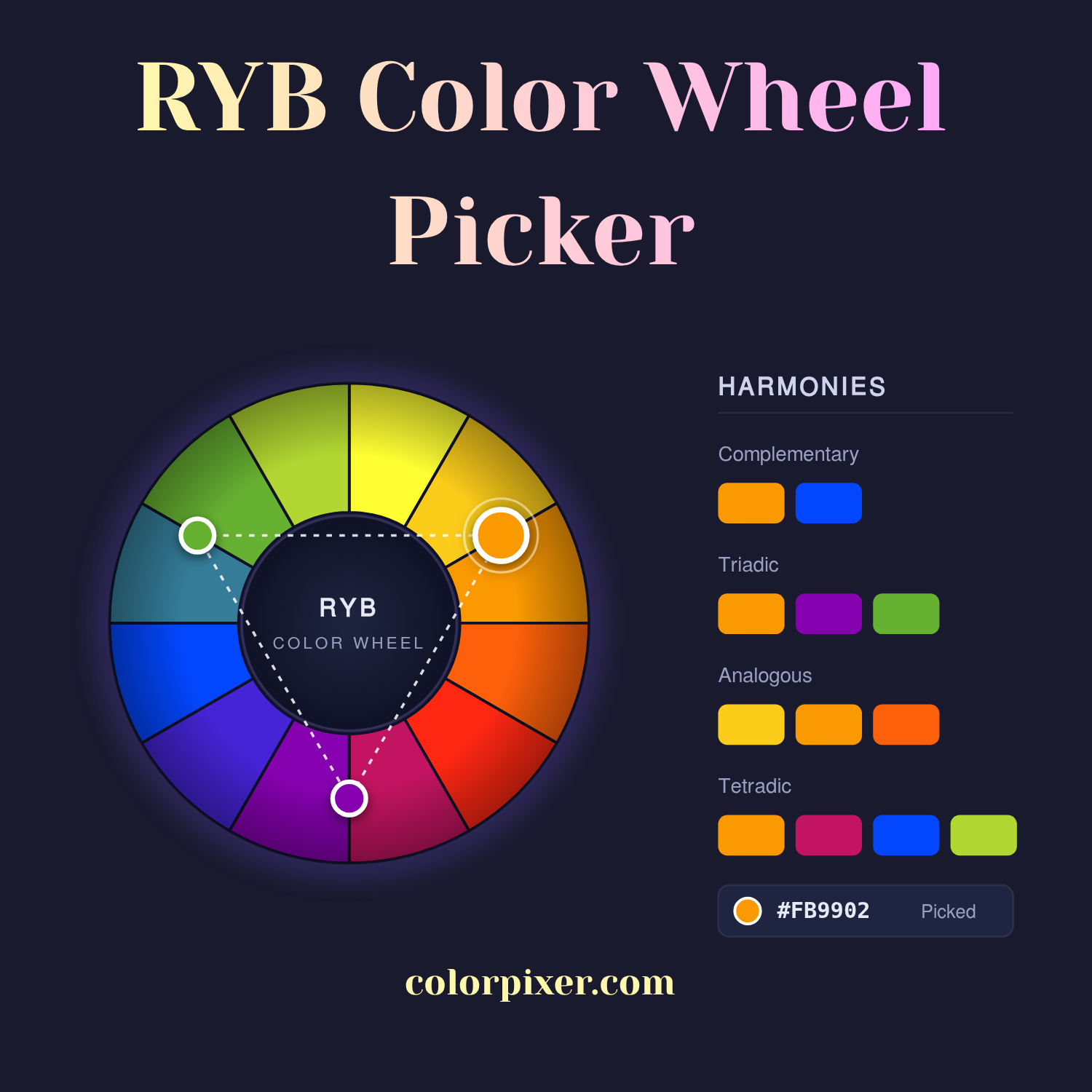
Spin the RYB wheel, adjust saturation and brightness, and discover harmonious color combinations.